Automate Zendesk via Shopify Flow using agnoStack
Unlocking Your Shopify for Zendesk Customer Experience
Customer support teams often grapple with disconnected systems — juggling Shopify orders, customer data and Zendesk tickets. The result? Delayed responses, frustrated customers and overwhelmed agents.
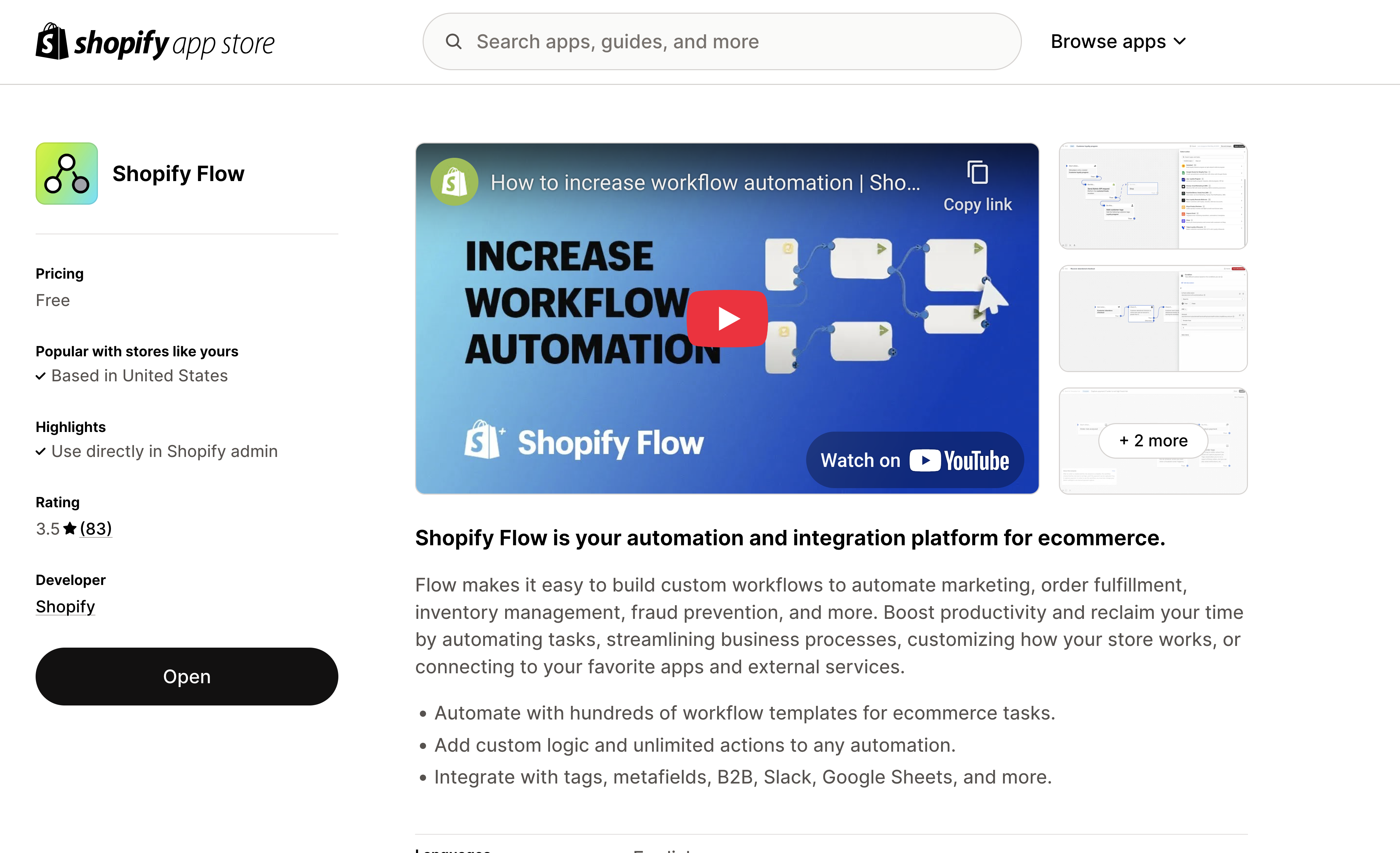
Understanding the Power of Shopify Flow
Shopify Flow is Shopify's intuitive, no-code automation platform designed to save time and enhance operational efficiency. With Flow, merchants automate repetitive tasks and create consistent, proactive customer experiences.
Flow's functionality revolves around three core components:
- Triggers: Events that start an automation (e.g., order placed).
- Conditions: Rules that define when automations should run (e.g., order value > $1000).
- Actions: Tasks executed automatically when conditions are met (e.g., update customer record).
By automating standard workflows, merchants reduce manual intervention, decrease human error and focus more on growth and customer engagement.
How agnoStack enables Shopify Flow for Zendesk
agnoStack is a powerful commerce integration platform designed specifically for Zendesk, providing real-time eCommerce data directly within Zendesk's support environment. By eliminating the need for agents to toggle between separate platforms, agnoStack significantly boosts operational efficiency and customer service effectiveness. With agnoStack, support agents gain immediate access to customer order history, shipping status, payment details and rich insights — all without leaving their Zendesk Agent Workspace.
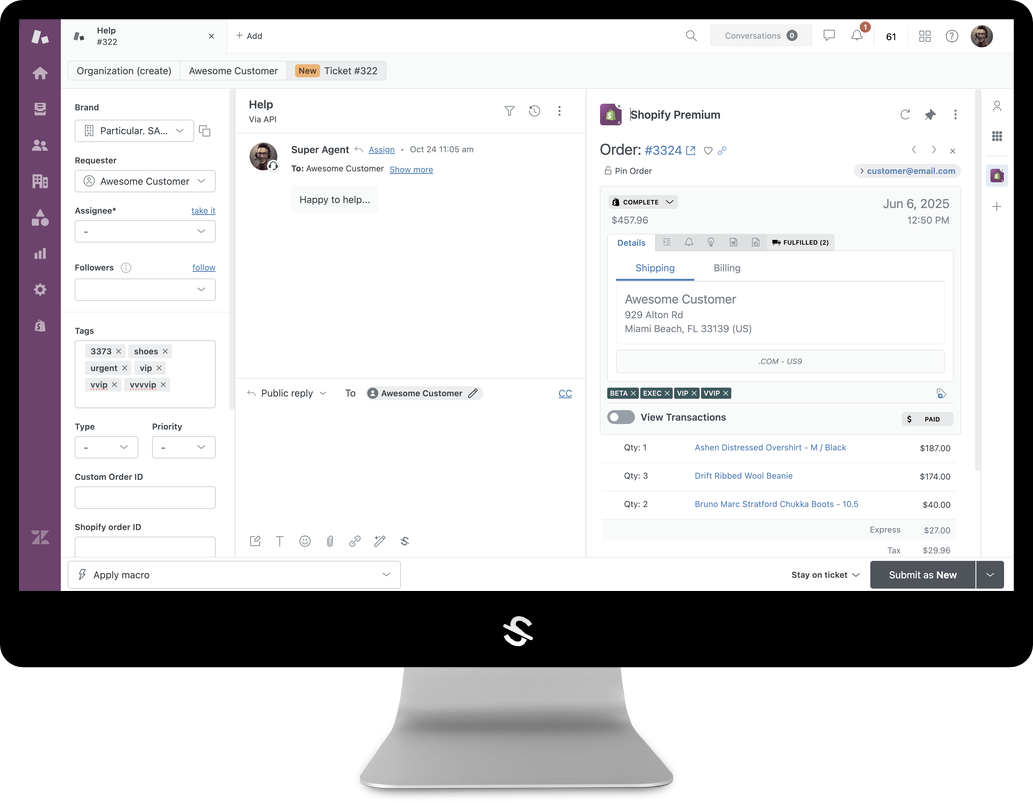
The platform also offers advanced features like streamlined enterprise order management, direct refunds and order modifications, personalized macros and robust customer insights through a full suite of integrated backoffice systems.
The newly launched Premium Zendesk for Shopify app on the Shopify App Marketplace serves as an essential companion to agnoStack's core Zendesk application. While the core app within Zendesk empowers agents with comprehensive commerce functionality, the Shopify Zendesk app expands this power directly into Shopify's automation ecosystem.
This integration allows Shopify Flow to seamlessly communicate with Zendesk, extending agnoStack's capabilities and enabling sophisticated automations that directly impact customer experience and operational efficiency.
Step-by-Step Example: Building a "New VIP Customer" Flow
Example Flow: Automatically Tag and Prioritize New VIP Customers in ZendeskRecognizing and catering to your highest-value customers is crucial for building lasting loyalty and enhancing overall customer satisfaction. With this example automation, Zendesk will automatically flag customers as "VIP" once they surpass a predefined threshold, such as a set number of orders or a significant lifetime spend.
By clearly marking these customers within Zendesk, your support team can instantly prioritize their inquiries, provide personalized attention and ensure they receive the exceptional service they deserve.
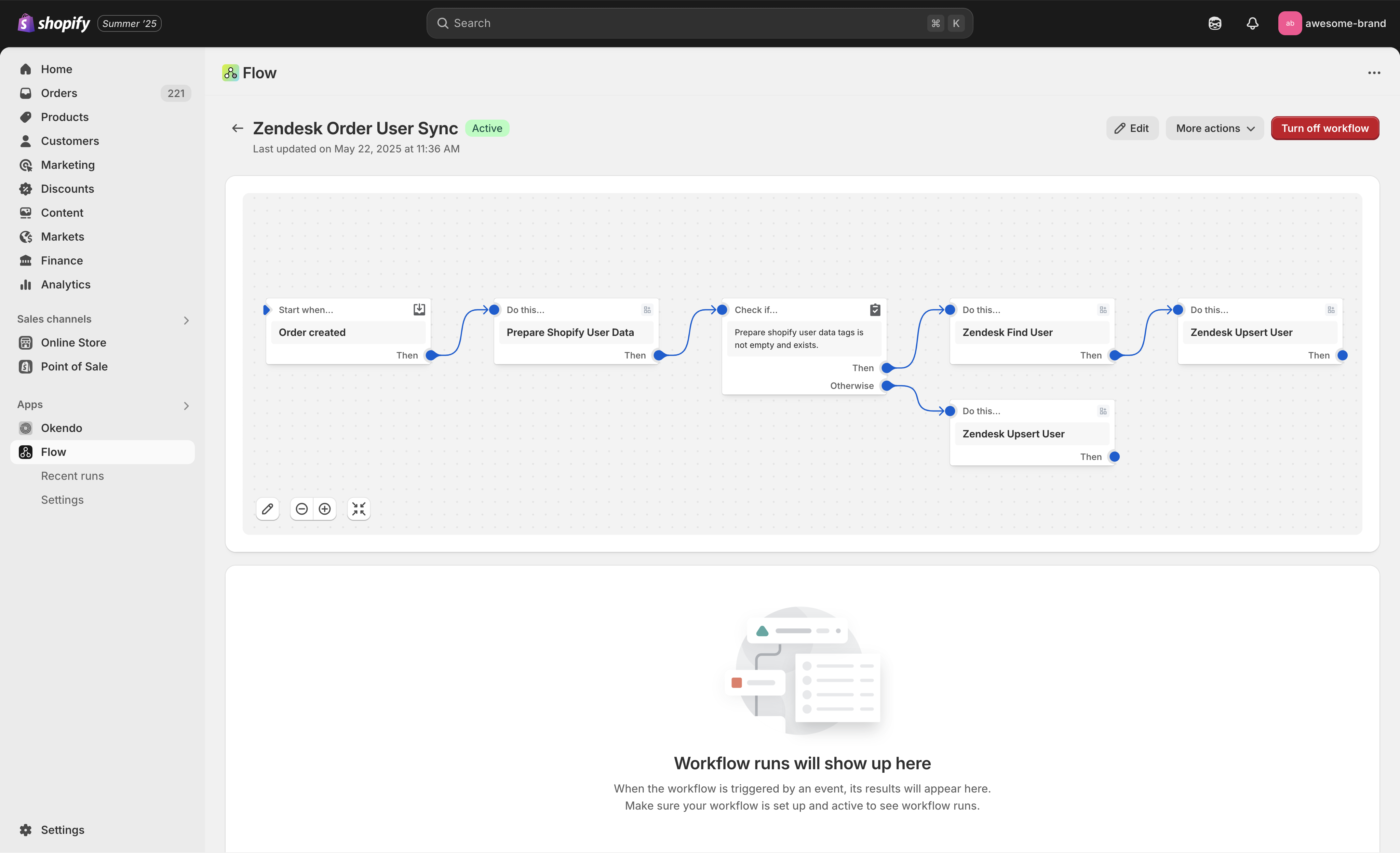
Step 1 - Trigger
Order Created:
- Shopify Flow activates each time a new order is placed.
Step 2 - Prepare Data
Prepare Shopify User Data:
Step 3 - Condition Check
Evaluate Customer Data:
- Checks if customer data meets VIP criteria, such as exceeding a certain number of purchases or specific tags.
Step 4 - Conditional Zendesk Actions
If User Exists:
- Use the Zendesk Find User action to locate the existing Zendesk profile.
- Then, Zendesk Upsert User updates the existing Zendesk profile, adding a "VIP" tag.
If User Does Not Exist:
Outcome:
- VIP customers are instantly visible in Zendesk, empowering agents to provide superior, prioritized support.
The "Premium Zendesk for Shopify" App enhances Shopify Flow
The Shopify Premium for Zendesk companion app introduces a robust suite of Zendesk-specific actions for Shopify Flow, enabling merchants to:
- Instantly create and manage support tickets in Zendesk based on various Shopify events.
- Quickly identify and update Zendesk user profiles, ensuring that customer data remains current and actionable.
- Automate Zendesk Sunshine events to enhance visibility into customer interactions and insights.
- Seamlessly transform and synchronize Shopify customer data with Zendesk, enabling comprehensive customer views and tailored interactions.
This powerful combination opens endless possibilities for advanced, automated workflows, driving efficiency and elevating the customer support experience.
Unlocking Powerful Use Cases for Zendesk
Integrating Shopify Flow with Zendesk through agnoStack enables powerful automation scenarios, such as:
- Proactive High-Value Order Alerts: Automatically create priority Zendesk tickets for high-value orders.
- Enhanced Customer Data Sync: Instantly update Zendesk profiles with Shopify data like total spend or customer loyalty status.
- Automated Negative Review Handling: Proactively generate Zendesk tickets whenever a negative product review is submitted.
- Automated VIP Tagging: Automatically mark customers as VIP in Zendesk when they reach a milestone, like surpassing a lifetime spend.
Shopify Flow handles the commerce-event side; Zendesk action flows handle the conversation side, and a Zendesk Custom Agent can invoke them on demand. See our guides to Zendesk Custom Agents for commerce and Zendesk action flows for commerce for the other half of the picture.
Automating Zendesk integration via Shopify Flow through the agnoStack's Premium Zendesk for Shopify app unlocks game-changing efficiencies. Merchants transform their customer service, proactively addressing customer needs and turning every support interaction into a loyalty-building opportunity.
Ready to Get Started?
To learn more contact agnoStack or schedule a demo to explore the Zendesk Commerce solution!
Empowering retailers
of all types & sizes to provide faster, more seamless and more intuitive customer support regardless of software stack.